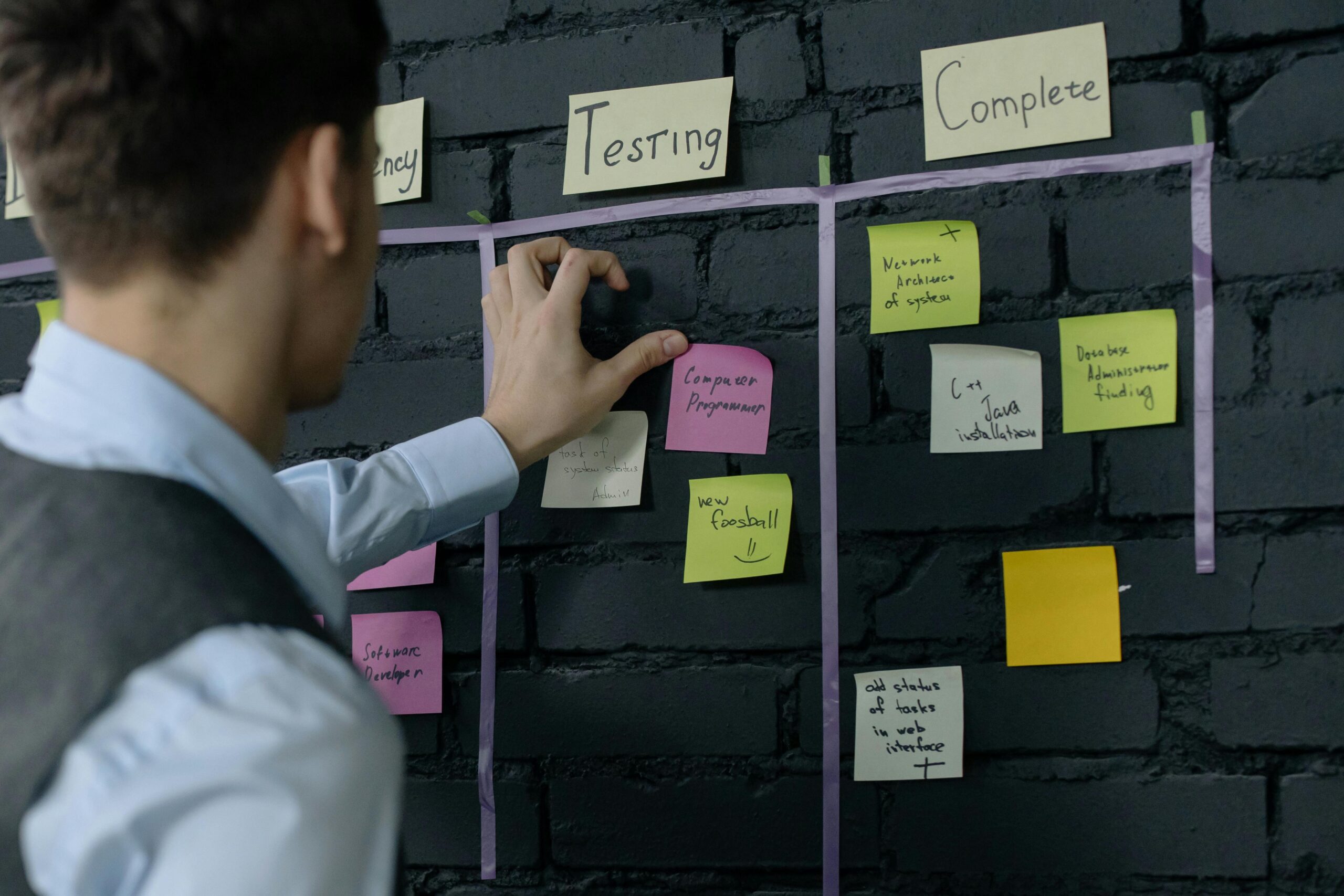
In today’s fast-paced world, mastering productivity isn’t about working harder—it’s about working smarter through modular personal workflows that adapt to your unique needs.

The traditional approach to productivity often feels rigid and overwhelming. We download countless apps, follow strict routines, and attempt to force ourselves into systems designed for someone else’s brain. But what if there was a better way? What if you could build a personalized productivity ecosystem that bends and flexes with your changing priorities, energy levels, and life circumstances?
Modular personal workflows represent a revolutionary approach to getting things done. Instead of adopting a one-size-fits-all system, you create interconnected modules—small, purposeful components that work together harmoniously while remaining independent enough to swap, modify, or remove without disrupting your entire system.
🧩 Understanding the Modular Workflow Philosophy
Think of modular workflows like building blocks. Each block serves a specific purpose, has clear boundaries, and can function independently. When combined strategically, these blocks create a powerful framework that supports your productivity without constraining your creativity or flexibility.
The beauty of modularity lies in its inherent adaptability. When your circumstances change—whether you’re starting a new job, launching a side project, or navigating a busy season—you don’t need to overhaul your entire system. You simply adjust the relevant modules while keeping the rest intact.
This approach contrasts sharply with monolithic productivity systems that require total commitment and complete adherence. Those systems often collapse under their own weight when life inevitably throws curveballs. Modular workflows, however, are designed to absorb change and continue functioning.
The Core Principles of Modular Design
Building effective modular workflows requires understanding several foundational principles. First, each module should have a single, well-defined purpose. A capture module handles incoming information. A processing module transforms that information into actionable items. An execution module focuses on actually doing the work.
Second, modules should communicate with each other through clear interfaces. You need defined handoff points where information flows from one module to the next. This prevents the chaos of disconnected tools and scattered information that plagues many productivity attempts.
Third, modules must be replaceable without breaking the system. If you discover a better tool for managing your reading list, you should be able to swap it in without disrupting your task management or calendar systems.
🎯 Building Your Foundation: The Essential Modules
Every modular workflow system needs certain core components. While your specific implementation will vary based on your needs, these fundamental modules form the backbone of an effective productivity system.
The Capture Module: Your Trusted Inbox
Your capture module serves as the entry point for all incoming information, ideas, tasks, and commitments. This could be as simple as a physical notebook, a notes app on your phone, or a dedicated inbox in your task manager. The critical factor is having one reliable place where everything lands initially.
The capture module’s job isn’t to organize or prioritize—it’s simply to ensure nothing gets lost. When an idea strikes at 2 AM, when your boss mentions a new project in passing, or when you remember something while grocery shopping, your capture module is there to collect it without judgment or complexity.
Google Keep exemplifies an effective capture tool with its quick note creation, voice memos, and image capture capabilities. The key is choosing something always accessible and requiring minimal friction to use.
The Processing Module: From Chaos to Clarity
Once information enters your system through the capture module, the processing module transforms it into something actionable. This is where you ask critical questions: Is this actionable? Does it align with my goals? What’s the next physical action required? Where does this belong in my system?
Processing should happen during dedicated sessions rather than constantly throughout the day. Many people find success with a morning review where they empty their capture inbox and a weekly review where they ensure nothing has slipped through the cracks.
During processing, items get sorted into appropriate destinations: your task manager, calendar, reference system, reading list, or perhaps the trash. The processing module acts as your system’s intelligent router, ensuring everything ends up where it belongs.
The Execution Module: Where Work Happens
Your execution module encompasses the tools and environments where you actually do your work. This might include your calendar for time-blocked deep work sessions, your task manager for tracking specific actions, and your focus tools for maintaining concentration.
The execution module should minimize decision fatigue. When it’s time to work, you shouldn’t waste mental energy figuring out what to do next or where to find relevant information. Your processing module has already made those decisions, so execution can flow smoothly.
Tools like Todoist excel in the execution space by presenting your tasks in clean, prioritized views that eliminate overwhelm and support focused action.
⚡ Advanced Modules for Enhanced Productivity
Beyond the essential modules, you can add specialized components that address specific aspects of your productivity needs. These advanced modules plug into your core system, enhancing its capabilities without adding unnecessary complexity.
The Energy Management Module
Not all hours are created equal. Your energy management module helps you align task types with your natural energy fluctuations throughout the day. Track when you’re most creative, most analytical, or best suited for routine tasks, then structure your execution module accordingly.
This might involve tagging tasks by required energy level, blocking specific calendar times for certain work types, or maintaining a simple log of your energy patterns over several weeks. The goal is working with your biology rather than against it.
The Learning and Development Module
Continuous improvement requires intentional systems. Your learning module manages professional development activities, skill building, reading lists, course progress, and knowledge capture. This ensures that learning doesn’t get perpetually postponed in favor of urgent tasks.
Consider implementing a dedicated space for notes from books, articles, and courses. Tools like Notion or Obsidian can serve this function, creating a personal knowledge base that grows more valuable over time as connections emerge between different pieces of information.
The Communication Module
Email, messages, meetings, and social media can consume entire days if left unmanaged. Your communication module establishes boundaries and protocols around these interactions. This might include checking email only at specific times, batch-processing messages, or maintaining templates for common responses.
The key is treating communication as a distinct workflow module rather than allowing it to constantly interrupt your execution module. By creating clear interfaces between these modules, you maintain control over your attention and time.
🔄 Creating Seamless Module Integration
Individual modules are valuable, but their true power emerges when they work together as a cohesive system. Integration points—where information flows from one module to another—require careful design to prevent friction and ensure reliability.
Designing Effective Handoffs
Each transition between modules should be smooth and obvious. When you finish capturing information, the next step should be clear. When processing is complete, items should land in their execution homes without additional effort or decision-making.
Document your handoff protocols. For example: “Every morning at 9 AM, I process my capture inbox. Actionable items go to Todoist, reference material goes to Notion, appointments go to Google Calendar, and everything else gets deleted or archived.” This clarity prevents the dreaded productivity system breakdown that happens when handoffs become unclear.
Minimizing Tool Sprawl
While modular systems are flexible, too many tools can create integration nightmares. Aim for the minimum number of tools necessary to support your modules effectively. Often, a single robust tool can serve multiple modules—your task manager might handle both execution and tracking modules, for instance.
When evaluating new tools, ask whether they genuinely enhance a specific module or simply add appealing features you’ll rarely use. The best productivity systems are often surprisingly simple, using just three to five core tools that play well together.
📊 Measuring and Optimizing Your Modular System
A productivity system should evolve based on evidence, not assumptions. Regular measurement and optimization ensure your modular workflows continue serving your changing needs effectively.
Tracking the Right Metrics
Avoid vanity metrics like tasks completed or hours logged. Instead, focus on outcome-oriented measurements: projects finished, goals achieved, learning milestones reached, or even subjective measures like reduced stress and improved work-life balance.
Consider tracking module health individually. Is your capture module actually catching everything, or do things still slip through? Does your processing module run smoothly, or does your inbox perpetually overflow? Is your execution module supporting focused work, or are you constantly context-switching?
The Weekly Review Module
Perhaps the most critical advanced module is a dedicated weekly review process. This meta-module examines all other modules, identifying what’s working and what needs adjustment. During your weekly review, you might:
- Clear all capture inboxes completely
- Review upcoming calendar commitments
- Assess progress on key projects
- Identify bottlenecks or friction points in your workflows
- Adjust priorities based on changing circumstances
- Clean up and reorganize as needed
This regular maintenance prevents the slow degradation that eventually renders most productivity systems useless. By dedicating an hour each week to system health, you save countless hours of confusion and inefficiency.
🚀 Implementing Your Modular Workflow System
Theory is valuable, but implementation determines success. Building a modular workflow system requires patience, experimentation, and willingness to iterate based on real-world results.
Start Small and Build Gradually
Don’t attempt to implement a complete modular system overnight. Begin with the essential three modules: capture, processing, and execution. Live with this minimal system for at least two weeks, allowing it to stabilize and reveal its strengths and weaknesses.
Once your foundation feels solid, add one advanced module at a time. Perhaps you notice energy management would help, so you implement that next. Then maybe communication boundaries become a priority. This gradual approach prevents overwhelm and allows each module to integrate properly before adding complexity.
Embrace Experimentation and Iteration
Your first implementation won’t be perfect, and that’s completely normal. View your productivity system as a living entity that grows and changes with you. When something isn’t working, change it. When a tool feels clunky, find an alternative. When a module seems unnecessary, remove it.
Keep a log of system changes and their effects. This helps you understand which adjustments genuinely improved things versus changes that simply felt good initially but didn’t deliver lasting value.
🌟 Unlocking True Flexibility and Focus
The ultimate goal of modular personal workflows isn’t productivity for its own sake—it’s creating more space for what truly matters while reducing the stress and chaos that often accompanies modern work life.
When your system works well, productivity becomes almost invisible. You capture things reliably without thinking about it. Processing happens smoothly during dedicated times. Execution feels natural because the right tasks appear at the right times with the right supporting information. You’re freed from constant anxiety about what you might be forgetting or whether you’re working on the right things.
This freedom creates space for deep focus on meaningful work. Instead of spending mental energy managing your productivity system, you can direct that energy toward creativity, problem-solving, and genuine accomplishment. The system fades into the background, supporting your work without demanding constant attention.
Adapting to Life’s Inevitable Changes
Perhaps the greatest benefit of modular workflows is their resilience in the face of change. When you start a new job, you might adjust your execution and communication modules while keeping your capture and processing modules intact. When you take on a major project, you might temporarily add a dedicated project management module that you’ll remove once the project completes.
This adaptability means you’re never starting from scratch when circumstances shift. You’re simply adjusting the relevant components while maintaining the stability and familiarity of your core system. This is productivity infrastructure that supports you for years rather than months.
🎨 Crafting Your Personal Productivity Ecosystem
Your modular workflow system should reflect your unique working style, preferences, and goals. While the principles remain consistent, implementation details vary dramatically between individuals. Some people thrive with minimal digital tools and robust paper systems. Others prefer comprehensive digital ecosystems with extensive automation.
The key is honest self-assessment. What actually works for you, not what sounds impressive or what works for productivity influencers? Do you genuinely review digital lists, or do paper notecards feel more real? Does time-blocking create helpful structure, or does it feel constraining? Build your system around truthful answers to these questions.
Remember that your system serves you—you don’t serve it. If maintaining your productivity system feels like a second job, something has gone wrong. Simplify ruthlessly. Remove any module, tool, or process that doesn’t deliver clear value. The best system is the one you’ll actually use consistently, not the most theoretically perfect one.

💡 Moving Forward with Confidence
Mastering productivity through modular personal workflows is a journey, not a destination. You’ll continually refine your system as you learn more about yourself, as your responsibilities evolve, and as better tools emerge. This ongoing optimization is part of the process, not a failure to find the “perfect” system.
Start today with the basics: establish a reliable capture method, create a simple processing routine, and identify your core execution tools. Build from there based on your actual experience rather than theoretical needs. Trust that clarity and efficiency will emerge as your system matures and adapts to your real-world requirements.
The flexibility, focus, and efficiency you seek aren’t found in a single magical app or methodology. They’re cultivated through thoughtful system design that honors both the principles of effective productivity and the reality of your unique circumstances. With modular workflows as your foundation, you’re building productivity infrastructure that will support your best work for years to come.