In today’s hyper-connected world, mastering your digital ecosystem isn’t optional—it’s essential for achieving peak productivity and sustainable success in both personal and professional realms.

🎯 Why Personal System Architecture Matters More Than Ever
The average person switches between apps and digital tools dozens of times per hour, creating a fragmented workflow that drains mental energy and crushes productivity. Personal System Architecture (PSA) is the strategic framework that transforms this chaos into a streamlined, purpose-driven digital environment tailored to your unique goals and work style.
Think of PSA as the blueprint for your digital life. Just as architects design buildings with specific purposes and flow patterns in mind, you can architect your digital world to minimize friction, maximize efficiency, and create pathways that naturally lead you toward your objectives.
The consequences of poor digital architecture are staggering. Studies show that it takes an average of 23 minutes to fully regain focus after a distraction. When your digital tools aren’t properly integrated and optimized, each transition between tasks becomes a productivity tax that compounds throughout your day.
The Foundation: Understanding Your Digital Ecosystem
Before you can optimize your digital world, you need a clear picture of what currently exists. Your digital ecosystem encompasses every application, platform, device, and digital workflow you interact with regularly. This includes communication tools, project management platforms, note-taking systems, cloud storage solutions, and the countless specialized apps that support your specific work and life needs.
Most people accumulate digital tools haphazardly, downloading whatever seems useful in the moment without considering how it fits into their broader system. This approach creates redundancy, confusion, and a cognitive load that silently undermines your effectiveness.
Conducting Your Digital Audit
Start by cataloging every digital tool you’ve used in the past month. Don’t just list them—categorize them by function. Which apps do you use for communication? For task management? For creative work? For learning? This inventory becomes the raw material for your architectural redesign.
During this audit, pay attention to overlap. How many apps serve essentially the same purpose? Where do you find yourself duplicating efforts—perhaps entering the same information in multiple places, or switching between similar tools for different contexts? These redundancies are opportunities for consolidation and optimization.
⚡ The Core Principles of Effective Personal System Architecture
Building an effective PSA requires adherence to fundamental principles that ensure your system works with your brain’s natural tendencies rather than against them.
Principle 1: Single Source of Truth
For each type of information in your life, establish one authoritative home. Your calendar shouldn’t be scattered across multiple apps. Your tasks shouldn’t live in email, sticky notes, and three different to-do applications. When information has a single, reliable home, your brain can stop expending energy wondering where to find things.
This doesn’t mean using only one app for everything—it means being intentional about which app owns which type of data. Your project management tool might be the source of truth for work tasks, while a separate system handles personal errands, but there should never be ambiguity about where specific information lives.
Principle 2: Friction-Free Capture
Your system must make it effortless to capture ideas, tasks, and information when they arise. The moment you think “I’ll remember that later” or “I’ll write that down when I have time,” you’ve introduced friction that guarantees things will fall through the cracks.
The best capture systems meet you where you are. Whether you’re at your computer, on your phone, or even using voice commands while driving, you should be able to immediately externalize thoughts into your trusted system without breaking flow.
Principle 3: Strategic Integration
The power of modern productivity isn’t in individual apps—it’s in how they work together. Strategic integration means connecting your tools so that data flows automatically where it needs to go, eliminating manual transfer and the errors that come with it.
When your note-taking app can send tasks directly to your task manager, when your calendar can automatically block focus time based on your project deadlines, when your communication tools can create action items without you lifting a finger—that’s when your digital architecture starts working for you rather than requiring constant maintenance.
📊 Mapping Your Productivity Workflow
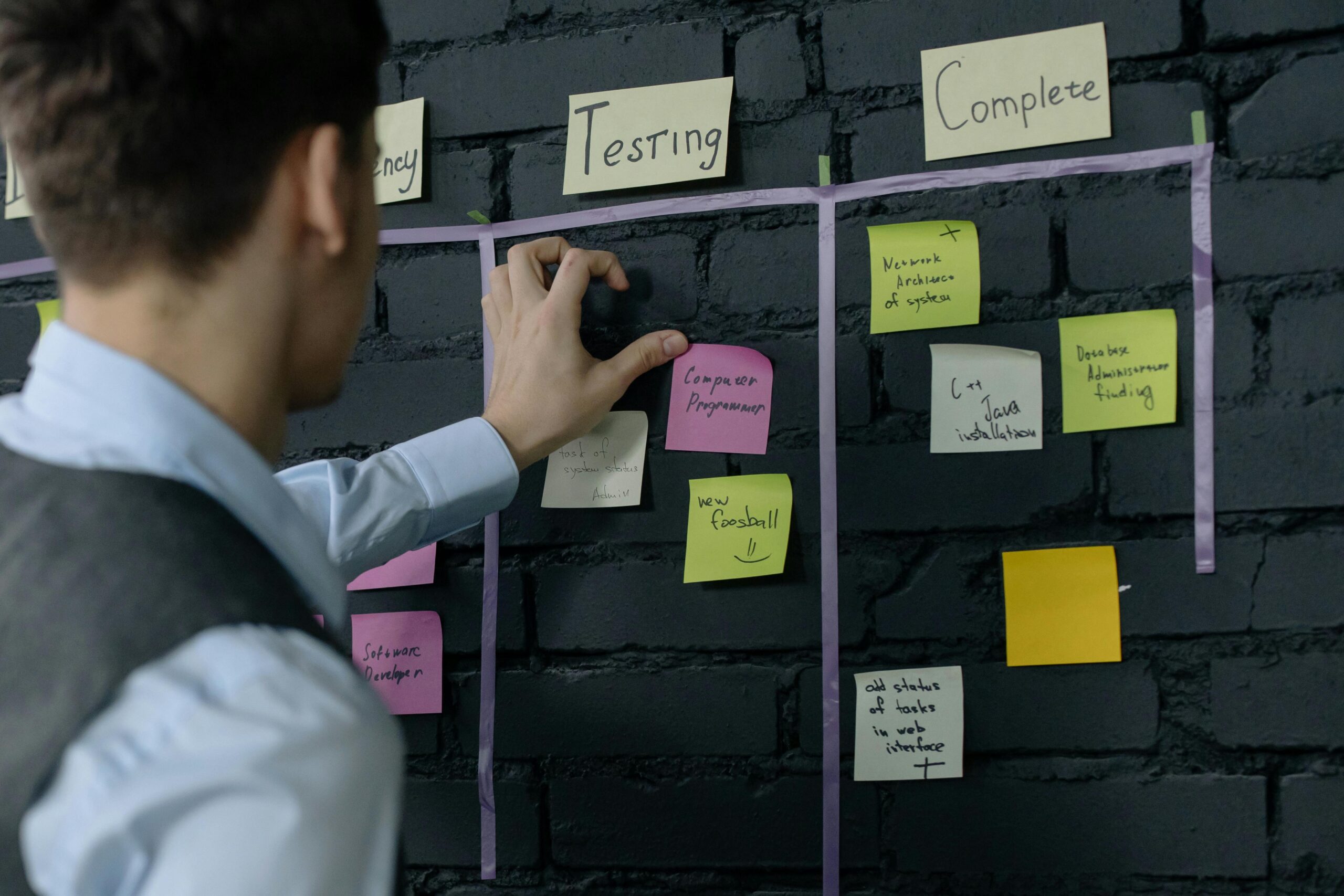
Understanding how work actually flows through your day is crucial for architectural design. Most people have never consciously mapped their workflow—they simply react to whatever demands arise. This reactive approach guarantees suboptimal results.
Start by tracking a typical week with brutal honesty. What types of work do you actually do? When do you do your best creative thinking? When are you most effective at focused work versus collaborative activities? When do you typically handle administrative tasks?
This temporal awareness allows you to design your digital architecture around your natural rhythms. If you’re sharpest in the morning, your system should make it easy to protect that time for deep work while relegating less critical activities to lower-energy periods.
The Input-Process-Output Framework
Every workflow has three stages: capturing inputs, processing them into actionable components, and producing outputs. Your digital architecture should clearly support each stage with appropriate tools.
Inputs might include emails, messages, meeting notes, ideas, and external information. Your system needs quick-capture mechanisms for each input type. Processing involves reviewing these inputs, deciding what they mean, and determining next actions. Your task management and organizational tools handle this stage. Outputs are the actual work products—documents, communications, completed projects.
When these stages blur together, productivity suffers. Email becomes both an input and a processing and output tool, creating constant context-switching. A well-architected system keeps these stages distinct while ensuring smooth handoffs between them.
Building Your Personal Command Center
Every effective digital architecture needs a command center—a single place where you start your day and return to regularly for orientation. This isn’t necessarily a single app, but rather a intentionally designed starting point that gives you visibility into everything that matters.
For many people, this might be a customized dashboard that aggregates key information from various sources. It shows your calendar, your priority tasks for the day, important metrics you’re tracking, and perhaps a feed of relevant information. The specific tools don’t matter as much as the principle: you should be able to orient yourself to your day and priorities in under 60 seconds.
Daily Review Rituals
Your command center supports essential rituals that keep your system running smoothly. A morning ritual might involve reviewing your calendar, identifying your top three priorities, and setting intentions for the day. An evening ritual processes the day’s inputs, updates your task list, and prepares for tomorrow.
These rituals become the regular maintenance that prevents system degradation. Without them, even the best architecture eventually becomes cluttered and unreliable.
🔄 Automation: Your Secret Productivity Multiplier
The true power of Personal System Architecture reveals itself through automation. Every repetitive action in your digital life is an opportunity to save time and mental energy through intelligent automation.
Modern automation tools allow you to create powerful workflows without coding knowledge. If you find yourself repeatedly performing the same sequence of actions—copying information from one place to another, sending similar messages, organizing files according to specific criteria—you can almost certainly automate it.
High-Impact Automation Opportunities
Start with email management. Filters and rules can automatically categorize incoming messages, flag priority items, and archive routine notifications. This alone can save hours per week and dramatically reduce the stress of an overflowing inbox.
File management is another automation goldmine. Set up systems that automatically organize documents by type, date, or project. Screenshots can automatically move to specific folders. Downloads can be sorted based on file type. These small automations eliminate the constant micro-decisions that drain willpower.
Task creation from various sources can be automated. When someone assigns you something via email, it should automatically appear in your task manager. When you star an important message, it should create a follow-up reminder. When a project deadline approaches, focus time should automatically block on your calendar.
🛡️ Protecting Your Focus in a Distraction-Heavy World
Even the most beautifully architected system fails if you can’t maintain focus within it. Your PSA must include deliberate mechanisms for protecting attention and managing interruptions.
Notification management is non-negotiable. The default state of most apps is to interrupt you constantly. Your architecture should flip this: notifications should be rare and meaningful, reserved only for truly urgent matters. Everything else can wait for your scheduled review times.
Creating Digital Boundaries
Effective digital architecture includes boundaries that prevent work from bleeding into personal time and vice versa. This might mean separate browser profiles for different life domains, distinct communication channels for various relationship types, or scheduled “office hours” when you’re available versus deep work blocks when you’re not.
These boundaries aren’t restrictions—they’re enablers. They allow you to be fully present wherever you are, knowing that other domains are handled and not forgotten, just appropriately contained.
The Mobile Dimension: Extending Your Architecture Everywhere
Your Personal System Architecture cannot be confined to your desk. The mobile component of your system determines whether you can maintain productivity and capture opportunities regardless of location.
Mobile optimization requires different thinking than desktop productivity. Mobile devices excel at quick capture, communication, and consuming information, but they’re generally poor for extended creative work or complex processing. Design your mobile architecture accordingly.
Your phone should be a seamless extension of your primary system, not a separate ecosystem requiring synchronization and reconciliation. Cloud-based tools that offer genuine feature parity across devices eliminate the friction of platform-switching.
📈 Measuring What Matters: Analytics for Your Digital Life
You can’t optimize what you don’t measure. Incorporating meaningful metrics into your PSA provides the feedback necessary for continuous improvement.
This doesn’t mean obsessive tracking of every minute. It means identifying key indicators that reveal whether your system is actually serving your goals. How many deep work hours are you actually achieving weekly? What percentage of your tasks are you completing on time? How quickly are you processing inputs to zero?
Progress Over Perfection
The purpose of metrics isn’t to create pressure—it’s to surface patterns. Maybe you notice that tasks created on Friday rarely get completed. Perhaps your creative projects always get pushed aside by urgent administrative work. These patterns reveal architectural weaknesses that you can address.
Regular system reviews—weekly for tactics, monthly for strategy, quarterly for major architectural decisions—keep your PSA evolving with your changing needs and goals.
🌟 Advanced Architecture: Scaling Your System as You Grow
As your responsibilities and ambitions expand, your digital architecture must scale accordingly. What works for managing personal projects and a single job role will buckle under the complexity of multiple businesses, team leadership, or diverse creative pursuits.
Scaling doesn’t necessarily mean more tools—it often means more sophisticated use of existing tools. Advanced filtering, tagging systems, custom views, and power-user features allow you to handle greater complexity within familiar interfaces.
Team Integration Considerations
When your work involves coordinating with others, your personal architecture must interface cleanly with team systems. This requires thinking about boundaries and handoffs. What information needs to be shared versus kept private? How do tasks assigned to you flow into your personal system? How do your outputs feed back into team workflows?
The most effective approach treats team systems as another input/output channel in your personal architecture rather than trying to live entirely within shared tools that weren’t designed for individual productivity.
Common Pitfalls and How to Avoid Them
The journey to effective Personal System Architecture is fraught with predictable traps. Awareness of these pitfalls dramatically improves your success rate.
Tool obsession is perhaps the most common mistake. People spend more time researching, setting up, and switching between productivity tools than actually being productive. Remember: tools are means, not ends. The best tool is the one you’ll actually use consistently.
Over-complexity is equally dangerous. An elaborate system with countless rules, categories, and integrations might seem impressive, but if it requires significant maintenance or has a steep learning curve, it will eventually be abandoned. Simplicity scales; complexity collapses.
Perfectionism kills more productivity systems than any technical limitation. Your architecture will never be perfect, and pursuing perfection becomes procrastination. Aim for “good enough to be useful” and iterate from there.

🚀 Your Next Steps: Implementing Your Personal Architecture
Reading about system architecture means nothing without implementation. Start small and build momentum. Choose one area of your digital life that causes the most pain—perhaps email management, task tracking, or file organization—and focus your initial architectural efforts there.
Document your system as you build it. This documentation serves two purposes: it forces clear thinking about your design choices, and it becomes a reference when you inevitably forget why you set things up a certain way.
Give changes time to settle before adding more complexity. A new tool or workflow needs at least two weeks of consistent use before you can accurately assess its effectiveness. Constant tinkering prevents you from ever experiencing the benefits of any particular approach.
Your Personal System Architecture is a living framework that should evolve with your life. The digital tools you use, the workflows you follow, and the boundaries you maintain will change as your circumstances, responsibilities, and goals shift. What remains constant is the intentionality—the commitment to designing your digital environment rather than letting it happen by default.
The difference between high performers and everyone else isn’t inherent ability or time availability—it’s the systems they’ve built to support their goals. Master your digital world through thoughtful Personal System Architecture, and you unlock capabilities that feel almost superhuman compared to working without such foundations. Your future self will thank you for the investment you make today in building a digital environment that works as hard as you do.